How Calendar Invite Works?
Calendar invites have become a normal part of our daily work life. Whether it’s a team meeting, a client call, or a large online event, calendar invites help people stay organized and on time. But many users still don’t fully understand how calendar invites work behind the scenes.
In this blog, we will explain how calendar invite works, step by step, in very simple language, and also show how tools like Let’s Calendar make the entire process easier and more reliable.
What Is a Calendar Invite?
A calendar invite is a meeting request sent by email that allows the receiver to quickly add event to my calendar with just one click. Instead of remembering dates and times manually, the event is saved directly in the calendar app.
A calendar invite usually includes:
- Event name
- Date and time
- Time zone
- Meeting link or location
- Short description or agenda
Once accepted, the event appears automatically in the calendar.
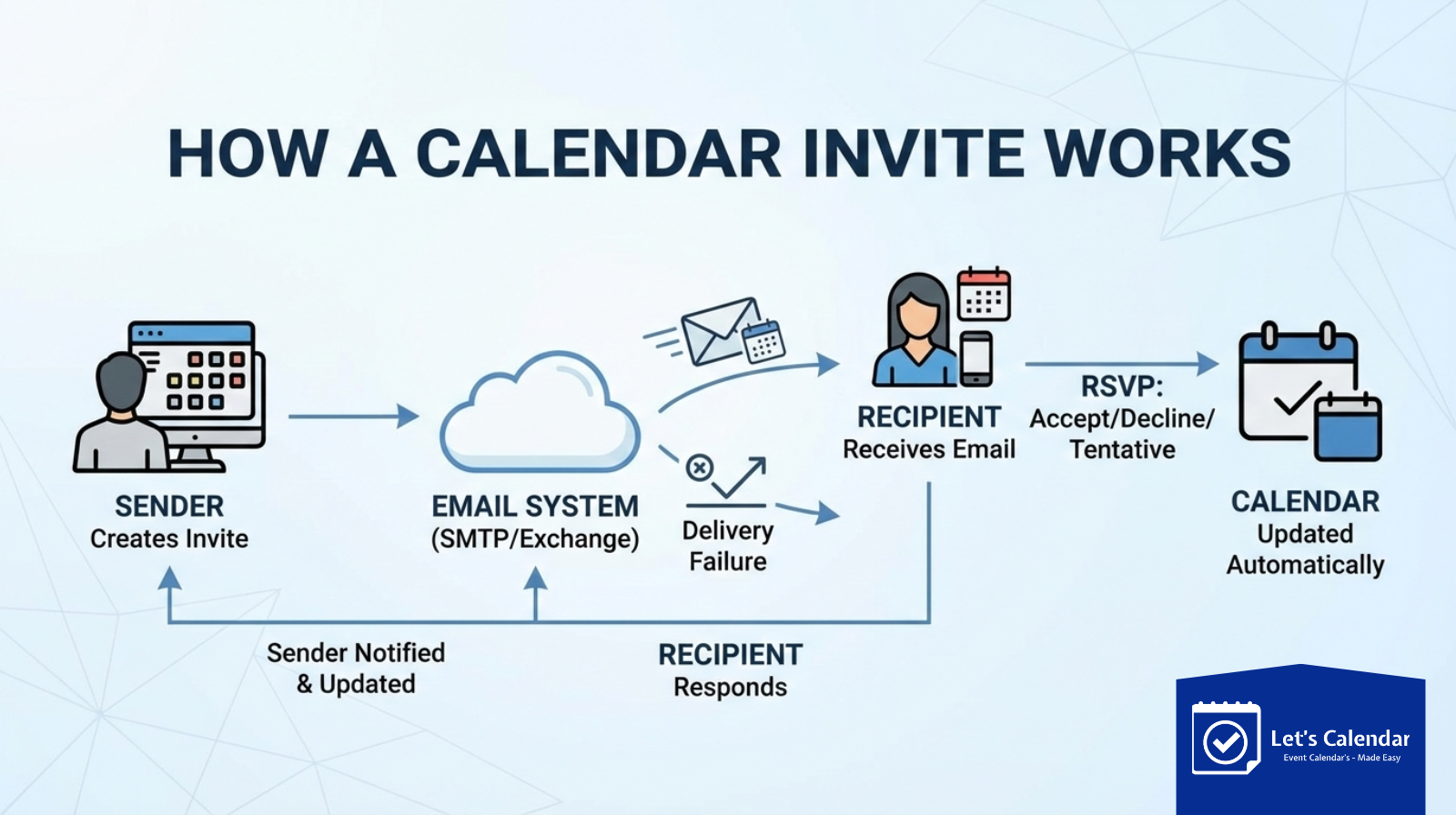
How Calendar Invite Works Step by Step
Understanding sending a calendar invite is simple when broken down into steps:
- The sender creates an event with date, time, and details
- The invite is sent via email
- The recipient receives the email
- The recipient clicks Accept, Decline, or Tentative
- If accepted, the event is added to their calendar automatically
This works across most calendar systems like Google Calendar, Outlook Calendar, and Apple Calendar.
Calendar Invites and Email Systems
Calendar invites are sent using email, but they are not regular emails. They contain a special calendar file that tells the calendar app how to save the event.
This is why calendar invites work smoothly across different platforms, even if the sender and receiver use different email services.
Common Use Cases of Calendar Invites
Calendar invites are used in many everyday situations, such as:
- One-to-one meetings
- Team meetings
- Interviews
- Webinars and online events
- Training sessions
- Follow-up reminders
As businesses grow, the need to manage meetings at scale also increases.
The Challenge of Sending Calendar Invites at Scale
Sending a few invites manually is easy. But problems start when companies need to manage calendar in bulk for many people at the same time.
Common challenges include:
- Manual work taking too much time
- Sending limits from email providers
- Missed or delayed invites
- No proper tracking of responses
This is where traditional email tools start to fall short.
Why Bulk and Mass Calendar Invites Need a Better System
When companies need bulk meeting invites, they often try to send them from personal email accounts. This can quickly lead to delivery issues or sending restrictions.
Businesses also face problems when they try to send mass calendar invites for:
- Large events
- Product demos
- Internal training
- HR onboarding
Email systems are not designed to handle this smoothly without a dedicated solution.
How Let’s Calendar Simplifies Calendar Invites
Let’s Calendar is built specifically to handle calendar invitations professionally and at scale.
With Let’s Calendar, businesses can:
- Create and manage events easily
- Upload contacts and send invites in one go
- Personalize each invite
- Avoid personal email sending limits
This removes the need for manual work and reduces errors.
Sending Mass Calendar Invites Using Different Platforms
Many users try different methods to manage large invite volumes, such as:
While these methods work for small volumes, they are not reliable for large-scale usage. Let’s Calendar connects with professional email services and SMTP providers to ensure better delivery and consistency.
What Happens After the Invite Is Sent
Once the invite is sent:
- The recipient receives the meeting request
- They can accept or decline
- The event updates automatically if any changes are made
- Reminders trigger based on calendar settings
This creates a smooth experience for both sender and receiver.
Best Practices for Sending Calendar Invites
To make calendar invites effective:
- Use a clear and simple event title
- Always include time zone
- Add meeting links clearly
- Send invites in advance
- Avoid last-minute changes
Following these practices improves attendance and avoids confusion.
Common Mistakes to Avoid
Some common mistakes businesses make include:
- Sending invites manually for large groups
- Not testing invite delivery
- Mixing marketing emails with meeting invites
- Forgetting reminders
A dedicated tool helps avoid these problems completely.
Final Thoughts
Calendar invites may look simple, but managing them at scale requires the right approach. Understanding how calendar invites work and using a purpose-built platform makes a huge difference.
With Let’s Calendar, businesses can manage meetings, events, and schedules professionally, without worrying about delivery issues or manual effort.
If calendar invites are central to your business communication, using the right tool is not optional, it’s essential.






Recent Comments