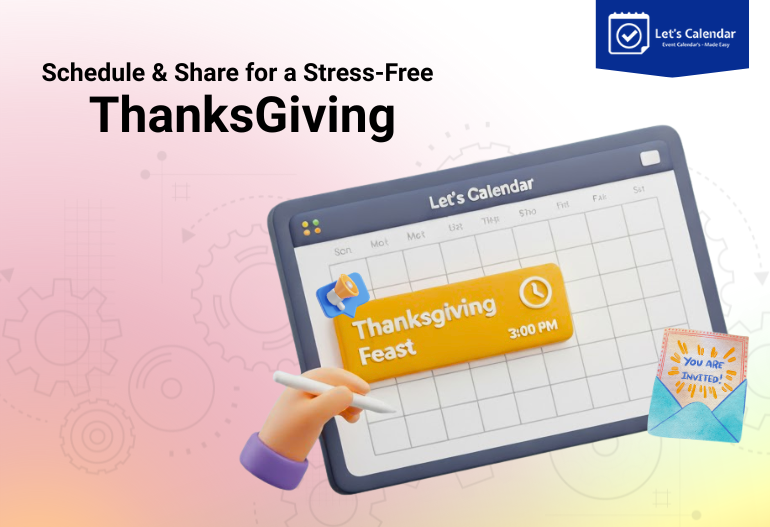
Make This Thanksgiving Stress-Free: Schedule, Share, and Celebrate with Let’s Calendar
Thanksgiving is all about gratitude, celebration, and connection but for event organizers, marketers, and meeting planners, it can also be one of the busiest times of the year. While everyone else is preparing a feast, you’re probably juggling multiple client meetings, back-to-back webinars, or wrapping up conference planning before the holiday break.
It’s exciting but also overwhelming. Between managing registrations, following up with attendees, and sending reminders, it’s easy for things to fall through the cracks.
That’s where Let’s Calendar comes in. Just like a well-organized Thanksgiving dinner brings everyone together on time, Let’s Calendar helps you bring every guest, speaker, and client to your event table seamlessly, and without the stress.
In this blog, we’ll walk you through how to make this Thanksgiving season truly stress-free using smart calendar invites, how they work, and why they’re the secret weapon for every event and webinar organizer.
The Thanksgiving Rush Meets Event Season
Picture this: it’s the week of Thanksgiving. Your marketing team is promoting a webinar, your CXO is confirming meetings with clients, and your operations team is managing multiple conference sessions all while everyone’s inboxes are flooded with holiday emails.
In the middle of that chaos, you need to make sure your audience actually shows up.
But with traditional emails, there’s always a risk they get ignored, lost, or opened too late. Even your best reminder can go unseen in the crowd.
The truth is, people don’t live in their inboxes. They live in their calendars.
That’s why adding your event directly to your audience’s calendar is a game-changer. A calendar invite doesn’t just remind them, it becomes part of their daily plan.
So instead of asking, “How do I make my audience remember the event?”, the question should be, “How do I make sure the event is on their calendar?”
The Real Challenge: Too Many Events, Too Little Time
If you’re part of an events or marketing team, this probably sounds familiar:
By the end of the week, it’s not just your to-do list that’s overflowing, it’s your stress level.
Manual scheduling during busy seasons like Thanksgiving is not only time-consuming, it’s error-prone. Missed invites, wrong time zones, and duplicate meetings can make your event operations messy.
That’s why automation is key. And that’s exactly what Let’s Calendar helps you achieve.
Why Calendar Invites Are the Secret Ingredient to Smooth Scheduling
So, what is a calendar invite and why is it so powerful?
A calendar invite is a digital invitation sent directly to someone’s calendar. Instead of clicking links or downloading attachments, recipients see the event automatically added to their schedule. It includes all the event details title, time, date, location or virtual link and even reminders.
This means no more forgotten meetings or missed webinars.
Here’s why smart event organizers rely on them:
- They show up where it matters most: right inside your attendee’s calendar.
- They’re time-zone aware: whether your attendee is in London or Los Angeles, the event adjusts automatically.
- They send automatic reminders: no need for separate emails.
- They’re easy to personalize: you can include details like access links or specific meeting topics for each attendee.
In short, a calendar invite is not just a reminder, it’s an experience that keeps your audience connected, organized, and ready to attend.
And when you’re managing multiple client meetings, conferences, or webinars around Thanksgiving, that simplicity is priceless.
Why Traditional Scheduling Fails During Busy Seasons
Let’s be honest, traditional scheduling methods often fall apart during the busiest weeks.
If you’ve ever thought, “How do I send a calendar invite?” and then spent 15 minutes manually creating one in Outlook or Gmail, you know how tedious it can get.
Even with tools like Outlook, managing meeting invites in Outlook for hundreds of people or handling multiple calendar invites in Outlook can become overwhelming.
Emails are fine for small meetings, but when you’re dealing with a large event or multiple client sessions, you need something scalable.
The biggest challenges are:
- Sending individual invites manually.
- Following up with attendees who didn’t respond.
- Keeping track of who accepted and who didn’t.
- Updating everyone when there’s a schedule change.
That’s why you need a smart automation tool that can manage all of this for you so you can focus on your event, not your inbox.
How Let’s Calendar Simplifies Scheduling for Webinars, Conferences, and Client Meetings
Here’s where Let’s Calendar makes all the difference. It’s designed to make event scheduling, communication, and tracking completely effortless even during the busiest holiday season.
Here’s how it helps:
1. Send Bulk Invites in Seconds
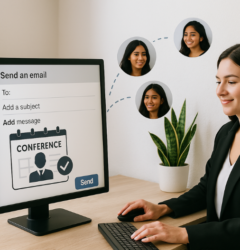
Whether you’re hosting a webinar for 500 attendees or a series of 1:1 client meetings, you can send bulk calendar invites instantly with no manual work.
Just upload your attendee list, customize the details, and Let’s Calendar takes care of the rest.
2. Personalize Each Invite
Add unique details like session links, access codes, seat numbers, or even personalized greetings. It’s perfect for both large conferences and individual client appointments.
3. Integrate with Your Existing Tools
Let’s Calendar connects with CRMs, registration systems, or automation platforms through Zapier or direct API integration. So when someone registers for your event, the invite is sent automatically.
4. Real-Time Tracking
Get instant visibility into who has accepted your calendar invitation, who hasn’t responded, and who declined all from your dashboard.
5. Cross-Platform Compatibility
Your invites work on every major platform Google Calendar, Apple, Outlook, and more. No attendee is left behind.
By automating your invites through Let’s Calendar, you save hours of manual work, reduce errors, and make sure every meeting or event lands directly on your attendees’ calendars perfectly timed.
Real-Life Scenarios: How Teams Are Winning the Holiday Season
Marketing Teams:
They’re using Let’s Calendar to automatically send invites when a lead registers for a webinar. The invite includes the session link, topic, and speaker details directly added to the attendee’s calendar.
CXO and Client Teams:
Executives schedule their year-end reviews effortlessly, sending discreet 1:1 calendar invitations with customized links.
Event Operations Teams:
They create a campaign with multiple calendar invites in Outlook for different sessions automatically sorted by time and track.
Audience Generation Teams:
Instead of sending multiple emails, they embed “Add to Calendar” buttons in confirmation pages to drive attendance.
No one misses an event, and no one has to scramble for a link at the last minute.
Make Thanksgiving Stress-Free with Smart Scheduling
This Thanksgiving, your focus should be on meaningful conversations not manual scheduling.
Here’s how you can keep things organized:
- Keep event titles short and clear.
- Include direct access links in your calendar invites.
- Use branded designs for a professional touch.
- Test a few invites before sending them in bulk.
Let’s calendar take care of all this for you. It ensures every attendee gets the right invite, at the right time, personalized to their needs.
No missed sessions. No forgotten follow-ups. Just perfectly timed meetings and happy clients.
Beyond Thanksgiving: Keep the Momentum Going
The beauty of Let’s Calendar is that it’s not just for the holiday rush. You can reuse the same workflows for:
- Year-end conferences
- Q1 strategy webinars
- Client appreciation events
- Team meetings and internal reviews
So even after Thanksgiving, you’ll have a system that keeps every event running like clockwork.
Conclusion: Schedule, Share, and Celebrate
Thanksgiving is about togetherness and great meetings and events are, too.
With Let’s Calendar, you can make your entire event scheduling process smoother than ever. Whether it’s how to send calendar invite to hundreds of people, managing meeting invites in Outlook, or personalizing 1:1 client sessions everything is simple, smart, and automated.
So this Thanksgiving, don’t let scheduling chaos steal your joy.
Let’s Calendar will handle the invites you handle the celebration.
Start your free campaign on Let’s Calendar today and make every event perfectly timed, every time.





Shubhi Patel