How to Send Bulk Calendar Invites Without Getting Marked as Spam
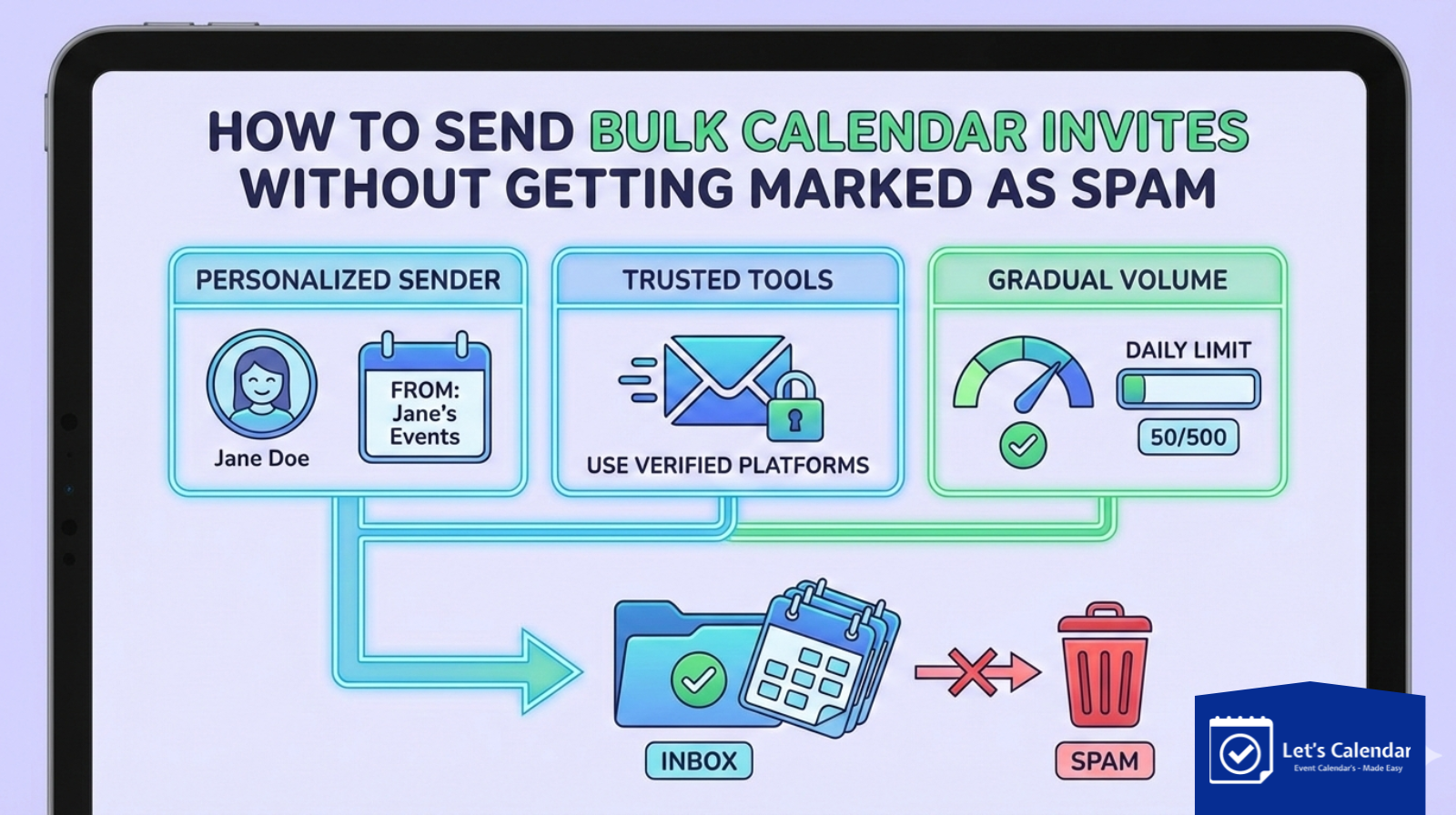
For webinars, conferences, and important client meetings, Bulk calendar invites are no longer just reminders, they are a critical part of the attendee experience. A well-timed, personalized calendar invite can significantly increase attendance, while a poorly sent one may never even reach the recipient.
Many organizers struggle when they try to scale. Sending hundreds or thousands of invites manually through Gmail or Outlook often leads to delivery issues, spam flags, or calendar blocks. This is exactly where Let’s Calendar becomes a practical solution. It helps event teams send calendar invites at scale while still keeping them personal, discreet, and compliant with email and calendar provider rules.
In this guide, we’ll explain why calendar invites fail, how spam filters work, and how you can safely send invites at scale for webinars, conferences, and meetings without hurting your sender reputation.
Who This Guide Is For
This blog is written for professionals who rely on calendar invites daily, including:
- Event and conference organizers
- Webinar operations teams
- Marketing and demand-generation teams
- CXO offices and executive assistants
- Client-facing sales and customer success teams
If your success depends on people actually showing up to meetings or events, this guide is for you.
Why Calendar Invites Get Marked as Spam
Most calendar invites fail not because of bad intent, but because of bad sending practices. Common reasons include:
- Sending too many invites at once from a single mailbox
- Using generic, identical invite content for all recipients
- Attaching raw .ics files repeatedly
- Sending from free or newly created domains
- No personalization in the meeting context
- Treating calendar invites like marketing email blasts
When providers like Google or Microsoft detect this behavior, invites may land in spam or be blocked completely.
Email Blasts vs Calendar-First Invites
A common mistake is using email marketing tools or basic email clients to send calendar invites in volume. Calendar systems work differently from email systems.
Email blasts are designed for promotions. Calendar invites are meant for 1:1 scheduling. When this distinction is ignored, spam filters are triggered.
A calendar-first approach respects:
- Sending limits
- Recipient relevance
- Individual invite delivery
- Calendar platform compatibility
This is where dedicated scheduling tools outperform manual methods.
What Event Teams Need When Sending Invites at Scale
To successfully manage a bulk calendar workflow without spam issues, teams need:
- Individual (1:1) calendar invites
- Personalized event details per invitee
- Time-zone-aware scheduling
- Compatibility with Google, Outlook, Apple, and O365 calendars
- RSVP and response tracking
- Controlled sending speed
Without these, even well-planned events can suffer from low attendance.
Let’s Calendar: Designed for Safe, Scalable Scheduling
Let’s Calendar is built specifically for sending calendar invites at scale without behaving like a broadcast tool. Instead of pushing one invite to many people, it sends each invite as a separate, personalized calendar request.
This approach makes it ideal for:
- Webinars with thousands of registrants
- Conferences with segmented audiences
- High-value client or CXO meetings
It eliminates the risks associated with a mass calendar invite approach while keeping operations efficient.
How Let’s Calendar Prevents Spam Flags
1. One-to-One Invite Delivery
Each recipient receives a unique calendar invitation. This mirrors natural human scheduling behavior and avoids bulk signals.
2. Smart Sending Control
Invites are sent in a controlled manner, helping teams send mass meeting invite in Outlook or enterprise environments safely.
3. Built-In Personalization
Names, company details, agenda notes, and session information can be customized per invitee, increasing relevance and acceptance.
4. Clean Calendar Links
Recipients can add the event to their calendar without suspicious attachments or formatting issues.
This structure is especially important when handling mass meeting invites in O365, where strict sending rules apply.
Step-by-Step: Sending Calendar Invites with Let’s Calendar
Here’s a simplified view of how teams use Let’s Calendar:
- Create the event, webinar, or meeting
- Upload or sync your invitee list
- Add personalized details for each attendee
- Send invites discreetly at scale
- Track responses and attendance
This process removes the need to manually manage emails or worry about delivery issues when you send bulk calendar invites.
Adding Events Across Calendar Platforms
One of the biggest challenges in event scheduling is platform compatibility. Invitees may use Google Calendar, Outlook, Apple Calendar, or enterprise systems.
Let’s Calendar ensures that recipients can easily add the event to their preferred calendar without extra steps. This improves acceptance rates and avoids confusion across platforms.
Real-World Use Cases
Let’s Calendar is widely used for:
- Webinar registrations and reminders
- Multi-session conferences
- Client demos and onboarding calls
- Leadership and board meetings
It allows teams to manage a mass meeting invite scenario without risking spam complaints or missed schedules.
Common Mistakes to Avoid
Avoid these errors when sending calendar invites:
- Sending invites directly from personal inboxes
- Uploading large lists into Outlook manually
- Reusing the same generic invite text
- Ignoring time zones
- Sending too fast
These mistakes often lead to blocked invites, especially during bulk meeting invites.
Measuring Success Beyond Delivery
Successful calendar invites should be measured by:
- Acceptance rate
- Attendance rate
- Reduced no-shows
- Engagement with event details
With response tracking, teams can follow up intelligently instead of guessing.
Conclusion: Scale Without Sacrificing Trust
Sending bulk calendar invites at scale does not have to mean risking spam filters or damaging your sender reputation. With the right approach and the right tool, you can maintain personalization, compliance, and reliability.
Let’s Calendar helps teams confidently send bulk meeting invite workflows while keeping every invite personal and professional. Whether you’re managing a webinar, conference, or high-stakes client meeting, it provides a smarter way to schedule at scale, without being treated like spam.






Shubhi Patel