How to Send Meeting Invites to Large Teams Without Manual Work
Webinars, conferences, client demos, and internal meetings are now part of daily business. But sending meeting invites to hundreds or thousands of people manually can be stressful, slow, and full of mistakes.
Many event organizers, marketing teams, CXOs, and webinar operations teams still spend hours send mass meeting invites one by one. This not only wastes time but also leads to missed meetings, low attendance, and confusion.
This is where tools like Let’s Calendar make a big difference. Instead of manual work, you can send personalized calendar invites to thousands of attendees in minutes. Whether you are hosting a webinar, conference, or client meeting, automation helps you save time and increase attendance.
What is Calendar Invite and Why It Matters
Before we go deeper, let’s understand the basics.
What is Calendar Invite?
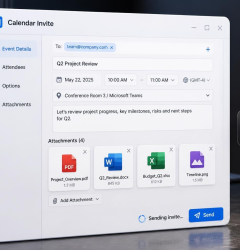
A calendar invite is a digital meeting or event invitation sent directly to someone’s calendar like Google Calendar, Outlook, or Apple Calendar. When someone receives a calendar invitation, they can accept, decline, or mark maybe. Once accepted, the meeting automatically appears in their calendar with reminders.
This is much better than sending only an email.
Why calendar invites are important:
- Attendees don’t forget meetings
- Automatic reminders
- Professional communication
- Easy joining links
- Better attendance rate
Today, almost every business uses calendar invites for:
- Webinars
- Conferences
- Client meetings
- Team meetings
- Product demos
When you invite calendar users directly, they are more likely to attend your event.
Why Manual Meeting Invites Don’t Work for Large Teams
If you are sending invites to 10–20 people, bulk calendar invites in google manual sending is manageable.
But what if you need to send 500, 5,000, or 50,000 invites?
Manual work becomes impossible.
Problems with manual sending
1. Too much time required
Sending invites one by one takes hours or days.
2. High chance of mistakes
Wrong email
Wrong time
Missing link
Duplicate sending
3. No personalization
Each attendee should get relevant details. Manual sending makes this difficult.
4. No tracking
You don’t know:
- Who accepted
- Who declined
- Who didn’t respond
5. Difficult to manage updates
If meeting time changes, updating everyone manually is very hard.
This is why modern teams now use bulk calendar tools to automate everything.
Understanding Calendar Invitation for Different Platforms
Different people use different calendars. A professional system must support all.
Google Calendar (Gmail users)
Many businesses use Google Workspace.
Knowing how to send a calendar invite in Gmail is important for basic use.
In Gmail:
- Open Google Calendar
- Create event
- Add guest emails
- Send invite
But Gmail has limits. send mass meeting invite in gmail is manually slow. Managing multiple calendar invites in gmail for large events becomes very difficult without automation.
Outlook Calendar
Corporate companies mostly use mass meeting invites in O365.
Send bulk meeting invite in outlook calendar invitations manually also has limitations:
- Daily sending limits
- Manual effort
- No personalization at scale
For webinars and conferences, bulk meeting invites in o365 process becomes very time-consuming.
What Modern Event & Webinar Teams Need Today
Today’s event and marketing teams need smarter solutions.
1. Bulk sending
You should be able to send thousands of invites instantly using a bulk calendar system.
2. Personalization
Each attendee should receive:
- Their name
- Custom joining link
- Session details
- Company name
3. Discreet sending
Every invite should go as a personal 1:1 invite.
Attendees should not see other guest emails.
4. Response tracking
You should know:
- Accepted
- Declined
- Pending
5. Easy updates
If a webinar link or time changes, updates should go automatically.
This is exactly what automation tools like Let’s Calendar are built for.
How to Send Meeting Invites to Large Teams Without Manual Work
Let’s understand step by step.
Step 1: Prepare Your Attendee List
Start with your attendee data:
- Excel sheet
- CRM
- Registration form
- Event platform
Make sure you have:
- Name
- Email
- Company (optional)
- Meeting details if different per user
Upload this list into your calendar sending tool.
Step 2: Create Your Event or Meeting
Add all important details:
- Event title
- Date and time
- Time zone
- Webinar or meeting link
- Agenda
- Speaker info
This will be part of the calendar invitation sent to attendees.
A professional calendar invite should always include clear joining instructions.
Step 3: Personalize Each Invite
Personalization increases attendance.
You can add:
- Attendee name
- Company name
- Unique joining link
- Seat number
- Event category
Instead of generic invites, each person gets a customized experience.
Step 4: Send Bulk Invites Instantly
This is where automation saves time.
Instead of sending one by one:
- Upload list
- Click send
- Thousands of invites delivered instantly
You can send:
Without manual effort.
Many organizers struggle when sending multiple calendar invites in gmail manually. Automation solves this problem completely.
You can also send bulk meeting invites in gmail or send bulk meeting invites in outlook using professional tools that support both platforms.
Step 5: Track Responses Easily
After sending invites, tracking becomes very important.
You should see:
- Who accepted
- Who declined
- Who didn’t respond
This helps you:
- Estimate attendance
- Send reminders
- Plan resources
Manual sending does not provide proper tracking.
Step 6: Send Reminders
Reminders increase attendance by 40–60%.
Send:
- 1 day before
- 1 hour before
- 10 minutes before
Automated reminders ensure people join on time.
Step 7: Update or Reschedule Easily
Sometimes meeting details change.
Without automation:
You must resend everything manually.
With smart systems:
- Update once
- All attendees get updated calendar invites automatically
This saves a huge time.
How Let’s Calendar Makes This Easy
Let’s Calendar is designed for teams that manage webinars, conferences, and large meetings.
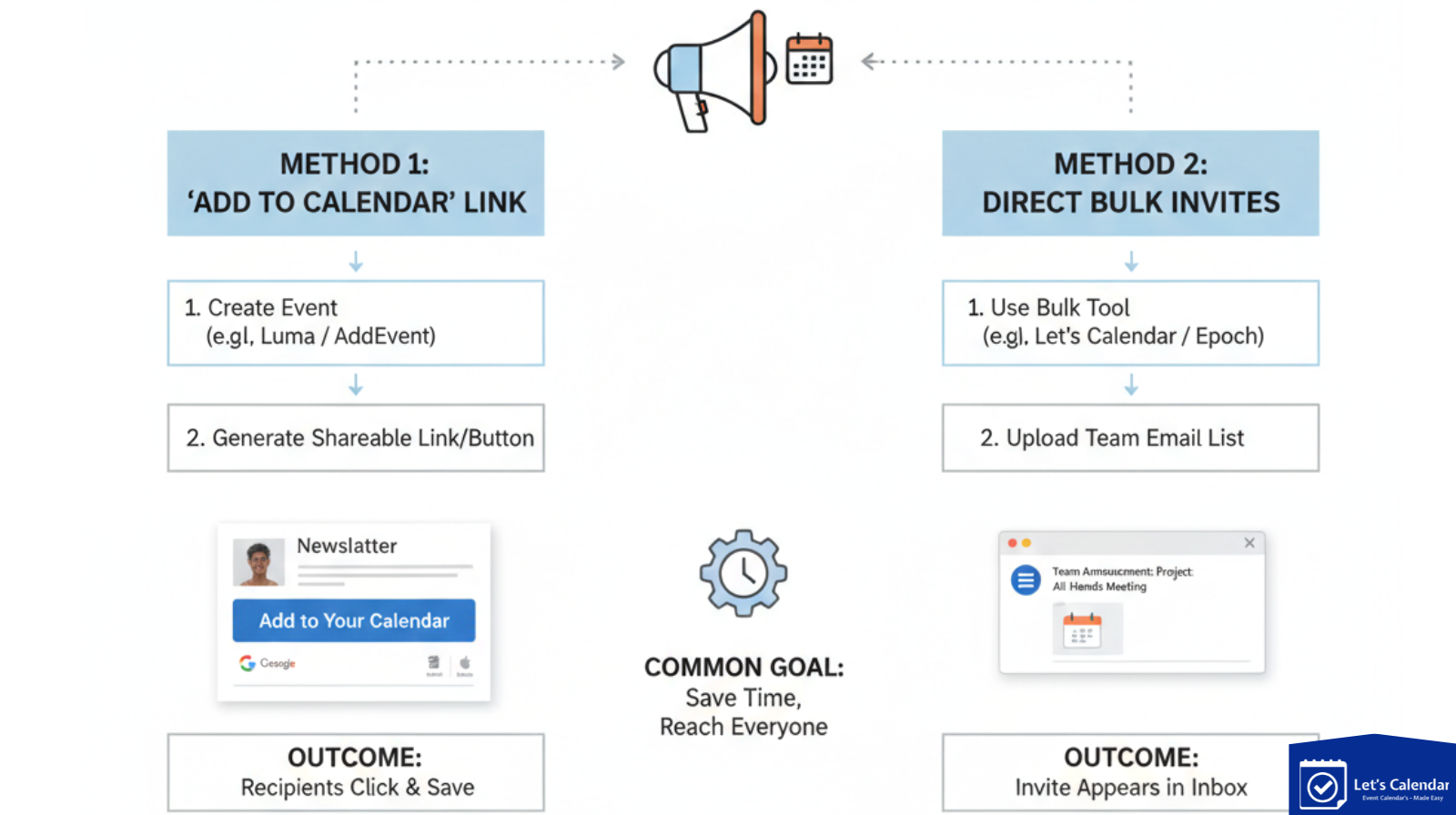
Send Bulk Invites in Minutes
Upload your attendee list and send thousands of invites instantly. Mass calendar invite in o365.
No manual sending required.
Personalize Every Invite
Each attendee receives a customized calendar invitation with:
- Name
- Unique details
- Joining links
Discreet 1:1 Sending
Every invite goes individually.
No one sees other attendees.
Works with Gmail and Outlook
You can send:
- Google calendar invites
- Outlook calendar invitations
- O365 invites
From one platform.
Real-time Tracking
Track:
- Accepted
- Pending
- Declined
This helps in planning attendance and follow-ups.
Easy Updates
If meeting changes:
Update once → everyone gets an updated invite.
Real Use Cases
Webinars
Send invites to thousands of attendees.
Include joining links and reminders.
Conferences
Send to:
- Delegates
- Speakers
- Sponsors
- VIP guests
Each group can receive personalized invites.
Client Meetings
Sales and CXO teams can send professional mass meeting invites at scale without manual work.
Best Practices for High Attendance
1. Send invites early
Send at least 3–7 days before the event.
2. Add clear agenda
Tell attendees what they will learn.
3. Use reminders
Automated reminders improve attendance.
4. Personalize invites
People respond better to personalized invites.
5. Include joining link
Make joining simple and clear.
6. Track responses
Follow up with pending attendees.
Common Mistakes to Avoid
- Sending invites manually
- No reminders
- Wrong time zone
- No personalization
- Not tracking responses
- Sending only email without calendar invite
Avoiding these mistakes improves attendance and professionalism.
The Smart Way to Send Meeting Invites
Sending meeting invites manually is outdated and stressful.
Modern webinars, conferences, and client meetings need automation, personalization, and tracking.
Understanding what is calendar invite and using it correctly can improve attendance and communication. But doing everything manually is not practical for large teams and events.
This is why smart tools like Let’s Calendar are becoming essential for event organizers, marketing teams, and business leaders. With the right system, you can:
- Send thousands of calendar invites in minutes
- Personalize each invite
- Track responses
- Send reminders
- Manage updates easily
If you regularly send webinar, conference, or client meeting invites, using Let’s Calendar can save hours of manual work and make your events more professional.
Start automating your meeting invites and focus on what truly matters, delivering great events and meetings.





Shubhi Patel