.ics file & ical format — complete guide

Send Calendar Invites built on the .ics standard

Every calendar invite Let's Calendar sends is a perfectly formatted .ics file — the universal calendar standard used by Google Calendar and Outlook, and the native format behind ical on Apple devices.

Universal ICS file compatibility
Overview

What is an .ics file?

An .ics file is a standard calendar file format used to share event and meeting details across calendar applications like Google Calendar and Microsoft Outlook. It allows users to add events directly to their calendars with a single click.

These files contain important event information such as date, time, location, organizer details, attendees, and recurring schedules. Since the .ics format is supported by most calendar platforms, it is widely used for sending calendar invites and event schedules.

1998

Year the .ics format was standardised (RFC 2445)

100%

Universal, works with every major calendar app

.ics

The file extension for all iCalendar files

RFC 5545

The current internet standard defining the .ics format

Anatomy

What's inside an .ics file?

An .ics file is structured in specific blocks. It wraps event data inside VCALENDAR and VEVENT sections. Each piece of event information is a key-value pair on its own line making the file both human-readable and machine-readable.

Fields inside every .ics file:

SUMMARY

Event Title: The name of the meeting or event shown in the attendee's calendar

DTSTART / DTEND

Date & Time: Start and end timestamps in UTC format, time-zone safe across every country

LOCATION

Location or Meeting Link: Physical address or a Zoom / Google Meet link — clickable directly from the calendar

ORGANIZER

Sender Identity: The email of the person sending the invite with Let's Calendar, this is always your own email

ATTENDEE

Attendee Email: Each recipient is a separate ATTENDEE entry enabling private 1:1 invites at scale

RRULE

Recurrence Rule: Defines how often the event repeats weekly, monthly, daily encoded in the .ics format

ics format — key properties table:

Property Required Let's Calendar
SUMMARY Yes Auto-filled
DTSTART / DTEND Yes Auto-filled
ORGANIZER Yes Your email
LOCATION Optional Auto-filled
RRULE Optional Supported
SEQUENCE For updates Auto-managed
Compatibility

.ics files work everywhere

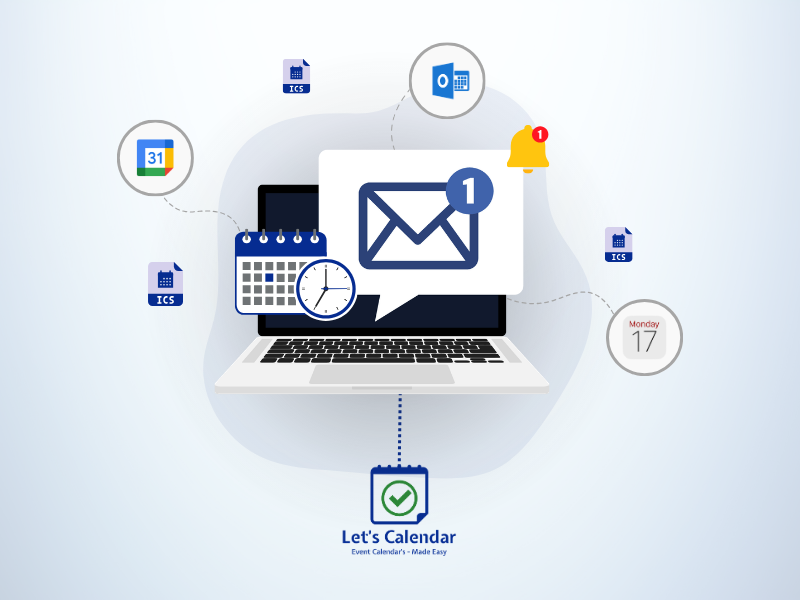
Because the ics format is a universal open standard, every calendar invite sent by Let's Calendar works across all platforms desktop, mobile, and web.

Compatibility Table:

Calendar App ICS Support 1-Click Accept
Google Calendar Full Yes
Microsoft Outlook Full Yes
Yahoo Calendar Full Yes
Samsung Calendar Full Yes
Thunderbird Full Yes
Android Calendar Full Yes
iOS Calendar Full Yes

Why .ics is more reliable than a plain email

A plain email with meeting details can be missed or forgotten. An .ics-based calendar invite lands directly on the attendee's calendar with automatic reminders dramatically improving attendance rates.
Universal ICS Compatibility
Overview

What is ical?

iCal is commonly known as Apple’s calendar application available on Mac, iPhone, and iPad devices. It is built on the iCalendar (.ics) standard, which allows calendar events and meeting invites to work across different platforms and applications.

Because of this universal format, users can easily receive, open, and manage calendar invites with features like reminders, recurring events, and RSVP options across Apple devices.

2002

Year Apple launched iCal on macOS

2012

Renamed "Calendar" still called ical by most users

3 in 1

Works natively on Mac, iPhone, and iPad

RFC 5545

The ical format standard Apple Calendar reads natively

Integration

How ical works on Apple devices

Apple Mail automatically detects calendar invite files and displays native Accept, Decline, or Maybe options directly inside the email. Once accepted, the event is instantly added to the user’s Apple Calendar with all details including time, location, meeting links, descriptions, and recurring schedules.

How ical reads a Let's Calendar invite:

Apple Mail

Native Invite Recognition: Apple Mail on Mac and iPhone reads the ical format in .ics files and displays Accept / Decline / Maybe buttons automatically

ical App

Event Added to Calendar: On accept, the event lands directly in Apple Calendar (ical) on every Apple device the attendee owns Mac, iPhone, and iPad sync automatically

RRULE

Recurring Event Support: ical reads recurring event rules from the .ics file — so all future event sessions appear in Apple Calendar from a single invite.

SEQUENCE

Update Sync: When an event changes, ical reads the updated SEQUENCE number in the new .ics file and updates the existing calendar entry no duplicate events

Features

Everything Let's Calendar Does with ICS Files for You

You focus on the event. We handle every .ics file detail automatically.

Auto-Generated ICS Files

Let's Calendar automatically creates a perfectly valid .ics file for every attendee, no manual encoding or format errors.

Universal iCal Format

Every calendar invite follows the RFC 5545 standard, guaranteed to work in Google, Outlook, and Apple Calendar.

Personalised Per-Attendee .ics

Each .ics file is uniquely generated per recipient with their name and a unique UID for a 1:1 feel.

Recurring Event .ics Support

Set RRULE for weekly, monthly, or custom recurring events encoded directly in the ics format.

Seamless .ics Updates

Smart SEQUENCE increments ensure attendees' calendars update automatically with no duplicates.

RSVP Tracking via .ics

Native tracking of Accept, Decline, and Tentative responses directly in your live dashboard.

Send Your First Free Calendar Invite No credit card required · Free plan available · Works with Gmail, Outlook & Apple
FAQ

Frequently Asked Questions

An ICS file (extension .ics) is a plain-text file that stores calendar event data in the iCalendar (iCal) format. It is the universal standard for sharing calendar events between applications. When you open or receive an ICS file, your calendar app Google Calendar, Outlook, Apple Calendar reads the iCal format and displays the event. Every calendar invite sent by Let's Calendar is delivered as a perfectly formatted ICS file.
iCal is short for iCalendar, the internet standard (RFC 5545) that defines how calendar event data should be structured and shared. The iCal format uses a text-based structure of key-value pairs, wrapped in BEGIN/END blocks. Any application that supports the iCal format can read and display events created by any other application that follows the standard. which is why ICS files work across all major calendar platforms.
They refer to the same thing. "iCal" or "iCalendar" is the name of the standard and format. "ICS" is the file extension used for files in that format (.ics). So an ICS file is a file written in iCal format, the terms are often used interchangeably.
When an ICS file is sent via email with the property set in the iCal format, the recipient's email client recognises it as a calendar invite. Gmail, Outlook, and Apple Mail all automatically display Accept / Decline / Tentative buttons. When the recipient accepts, the event is added to their calendar with all details from the ICS file.
No. Let's Calendar handles all ICS file generation automatically. You simply fill in your event details in the campaign editor, and Let's Calendar creates a perfectly valid ICS file in iCal format for every single attendee. You never need to write or edit an ICS file manually.
Get Started

Send your first calendar invite powered by .ics, free

No credit card. No .ics files to write. Let's Calendar generates everything in ical format automatically, so your invites land perfectly on Google Calendar, Outlook, and ical on every Apple device.
Free plan available No setup fee Works with Gmail, Outlook, Apple & more
Google Calendar Microsoft Outlook Apple Calendar Yahoo Calendar